02 / Work
Microsoft Surface NAS
Overview
As my final project for the Physical Practicum in Northwestern University’s MS in Engineering Design Innovation (EDI) program, the prompt was to create a new product for an existing product line with an established design language. I chose the Microsoft Surface line.
The result, Microsoft Surface NAS, asks what sits between the cloud and the external hard drive. Most people do not back up their data at all, and the two common options each fall short in a different way: the cloud is not trusted, and the hard drive is not portable.
The answer is a small desktop network attached storage device for the Surface line: your own cloud server, in your own hands, securely reachable from anywhere. I took it from market sizing and user interviews through sketches, generative AI exploration, CAD, a physical prototype and the product definition.
Areas of responsibility: Market Research, User Interviews, Product Definition, Industrial Design and CAD, Physical Prototyping
The Brief & Why I Chose Surface
The prompt for the Physical Practicum was to create a new product for an existing product line with an established design language. I chose the Microsoft Surface line for three reasons:
My Upcoming Internship
I was inspired by my upcoming summer internship at Microsoft.
The Design Language
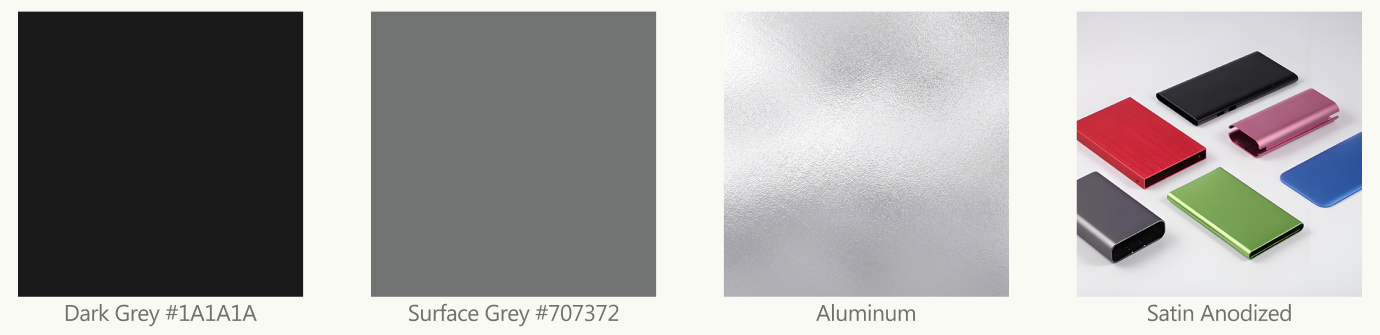
I loved the Surface design language and brand, including the satin anodized aluminum used across the line.
The Audience
Surface targets creatives and artists, and I wanted to solve a problem that this community faces.
The Problem I Know Firsthand
I am a photographer, and I drew on my own experience. My files were scattered across different hard drives, hard to organize, and impossible to reach when I was traveling and the drives were at home. I wanted a place to keep my work that was mine, in one place, and available from anywhere.
The Backup Gap: Neither Cloud Nor Hard Drive Feels Right
External hard drives are clunky to travel with and can only be reached when they are physically plugged in. The cloud is reachable anywhere, but few people trust it with their data. Neither option gives you both.
Problem Framing: One Question, One Familiar Answer
How Might We
How might we bridge the gap between cloud storage and external hard drives to create a secure yet remotely accessible data storage solution?
What Is a NAS?
A Network Attached Storage device is a dedicated box on your network that provides centralized, shared storage for many users and devices, both directly and remotely. Think of it as a personal cloud server whose data is in your physical possession and open only to you and the people you share with.
Market Opportunity: A Fast Growing Category
I saw Microsoft as well placed to capture that growth for two reasons: its reputation for security, and Windows Server, which already has NAS capabilities. A home NAS would also be a natural addition to Surface, a line that already targets creatives and professionals.
Primary Research & User Interview Insights
To test that hypothesis, I interviewed freelance creative professionals, the people in Surface’s target demographic, and asked why so many who considered a NAS stayed on the fence or decided against it:
Freelance Creatives
Interviewed from Surface's target demographic of creative professionals.
Considered a NAS
At one point considered purchasing a NAS.
Already Owned One
Already owned a NAS of their own.
Four pain points came up again and again:
Pain Point 01: The Current Units Are Eyesores
Current units on the market are ugly and do not fit the aesthetic of a creative’s workspace.
“Current solutions are all eyesores and don’t fit my aesthetic.”
User 1, Industrial Designer
Pain Point 02: There Is No Room for Them
Existing units take up too much space and would not fit on a desk or in a small office.
“I don’t have room in my office even for the small NAS units on the market.”
User 2, UI/UX Designer
Pain Point 03: Performance Compromises Get in the Way of Work
A majority of units on the market still use mechanical drives or carry other compromises that hurt performance and slow down real creative workflows.
“Slow mechanical drives make it difficult for me to directly edit from them.”
User 3, Photographer
Pain Point 04: Setup Is Intimidating
The setup process and interface seem overly difficult for anyone who is not confident in their technical abilities.
“The setup process and interface makes me feel intimidated.”
User 4, Painter
Design Requirements & Competitive Landscape
Those four pain points became four design requirements:
Minimal Aesthetic
A look that fits most office environments.
Small Form Factor
Small enough to sit on a desk without taking up too much space.
Performative
Fast enough to support even the edge case workflows of creative professionals.
Non-Technical Setup
An easy, intuitive setup process that does not assume technical skill.
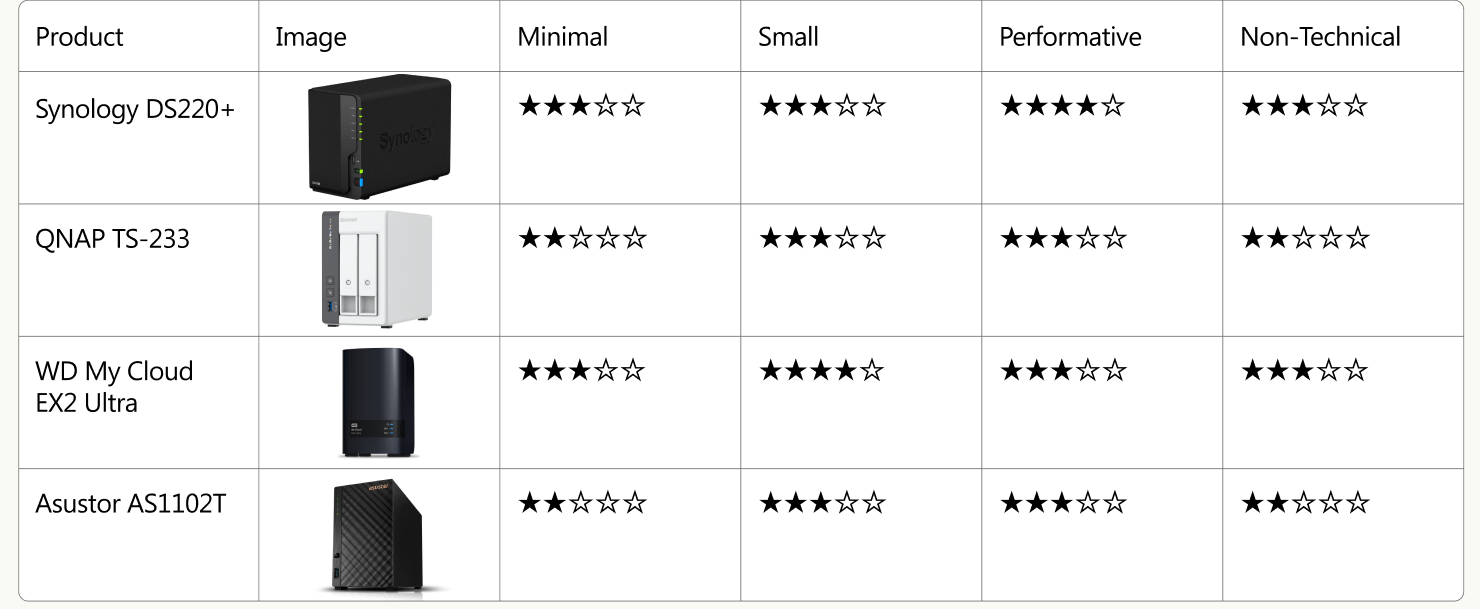
I then scored four of the best selling home NAS units on Amazon against those four criteria. None satisfied all four, which confirmed that the gap was real.
Concept Ideation: From Sketch to CAD
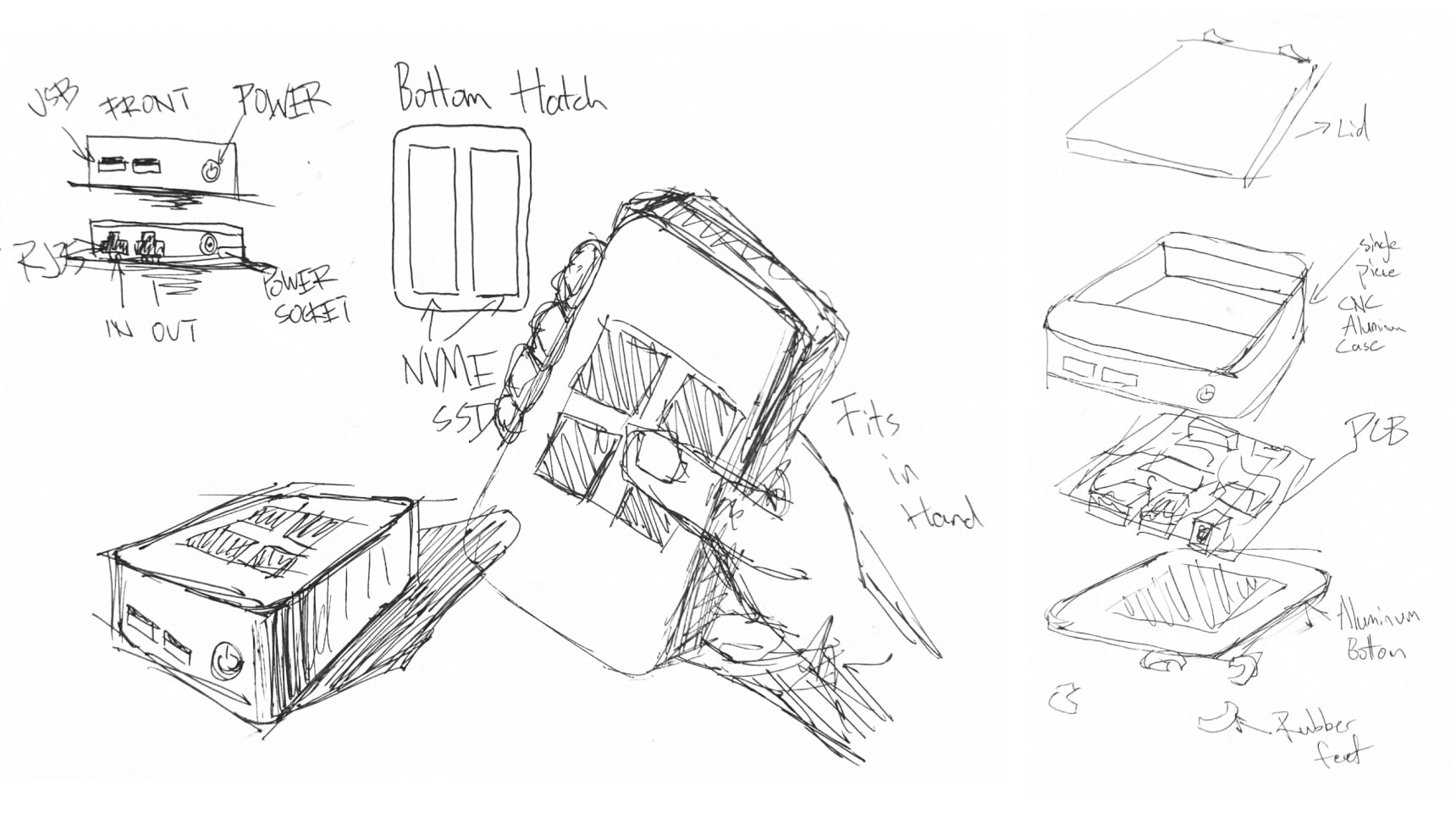
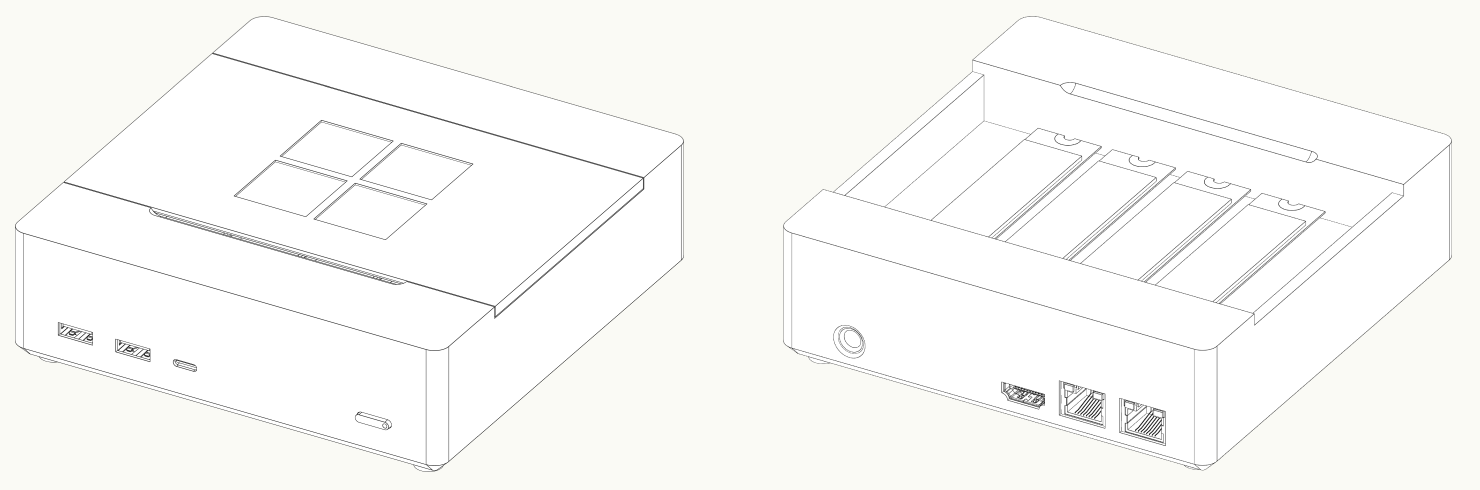
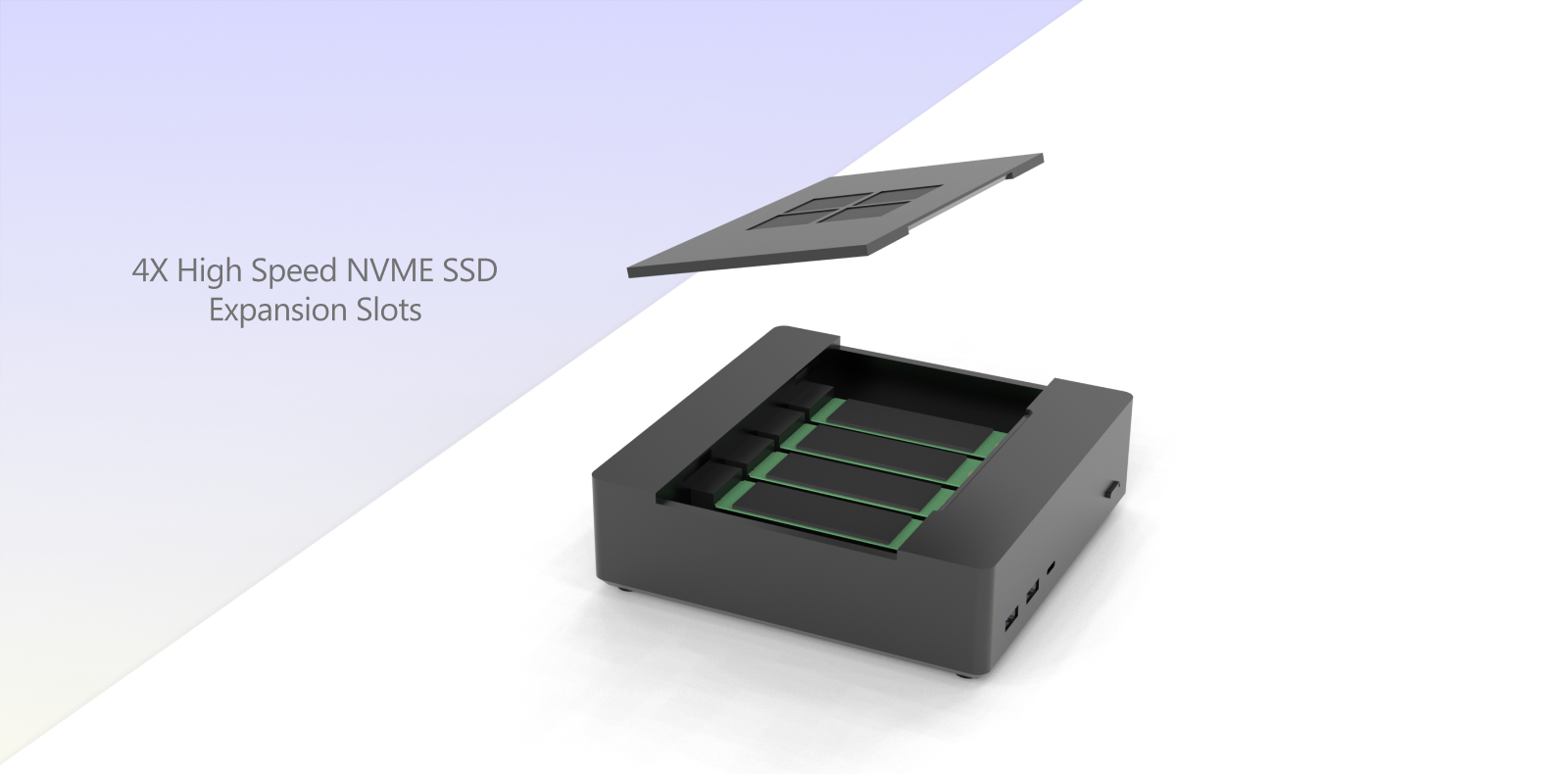
My first sketches pushed hard on a minimal design and a small footprint. One idea I had not seen in any existing product was to put the drives directly under a lid on top of the unit, so that expanding or repairing it is easy.
Sketches
The sketches work through the ports on the front and back, a pair of NVMe SSDs in a hatch, how the unit sits in the hand, and an exploded view of the parts: lid, single piece CNC aluminum case, PCB, aluminum bottom and rubber feet.
Gen AI Inspiration
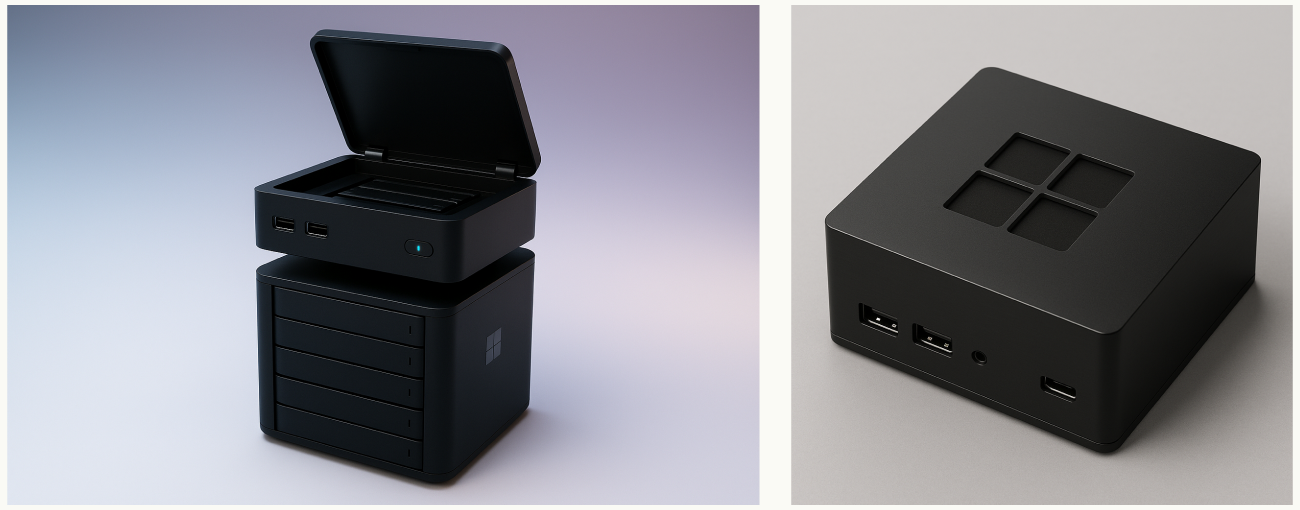
I fed the sketches to ChatGPT and Midjourney to get more inspiration for what the final product could look like.
Refinement & CAD
Taking that feedback, I built 3D models and refined them against the design requirements.
Color, Material & Finish
I wanted the device to read as a Surface product: the dark grey and the signature Surface grey as the accent, and the satin anodized aluminum used across the line. The chassis is a single piece of CNC machined aluminum to match.
The Solution: The Microsoft Surface NAS
Microsoft Surface NAS is a desktop network attached storage solution, securely accessible from anywhere. It answers each of the four requirements with one decision:
Minimal Surface Design
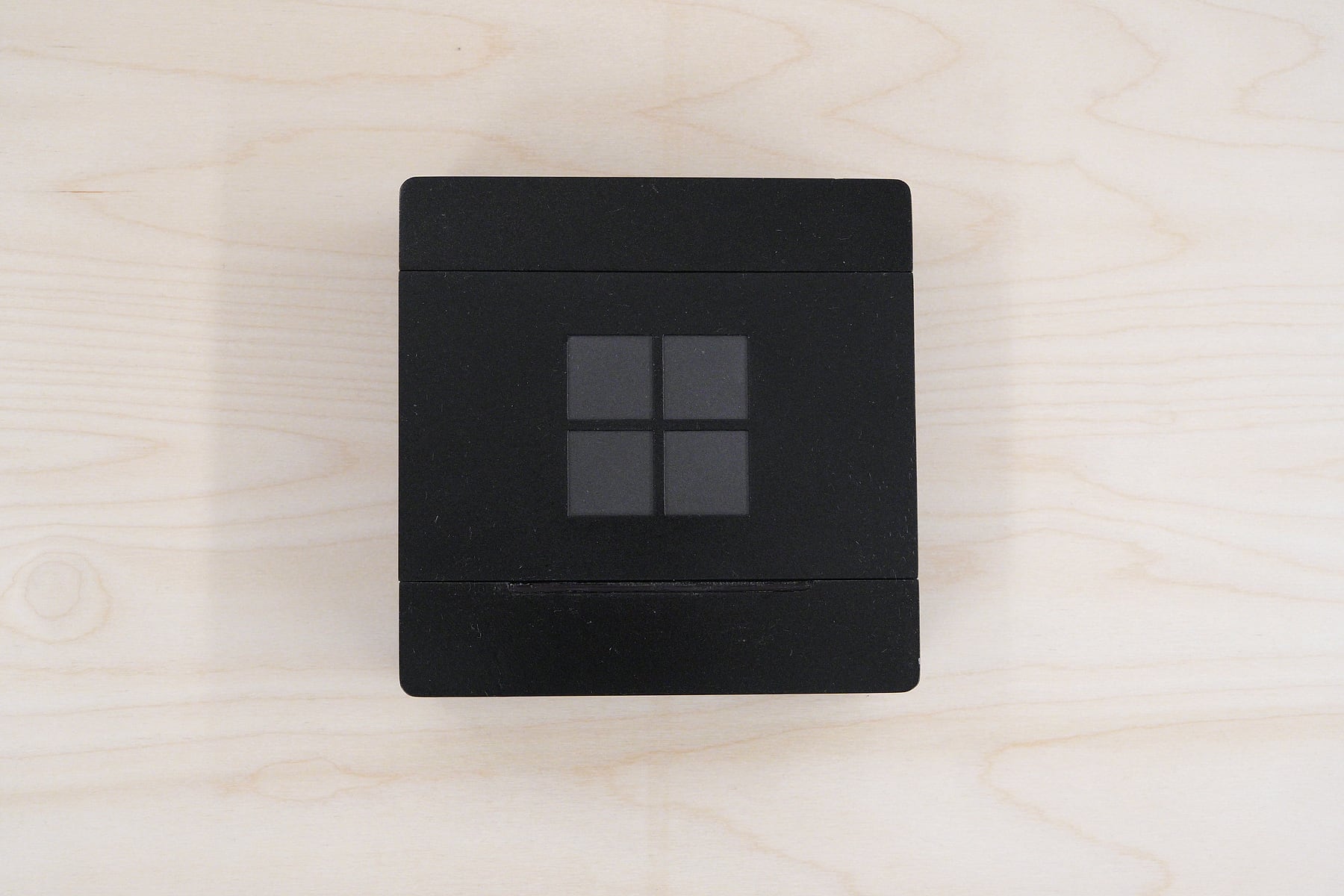
Dark grey with a single four pane logo on the lid, in the satin aluminum language of the rest of Surface.
Desk Sized
A compact chassis small enough to sit on a desk.
NVMe Performance
Up to four high speed NVMe SSDs and 2.5 gigabit ethernet, so creatives can edit straight from the device.
Setup Built In
Windows Server comes preinstalled, and a Copilot agent guides the user through setup.
1. Hardware & Ports
Input and Output
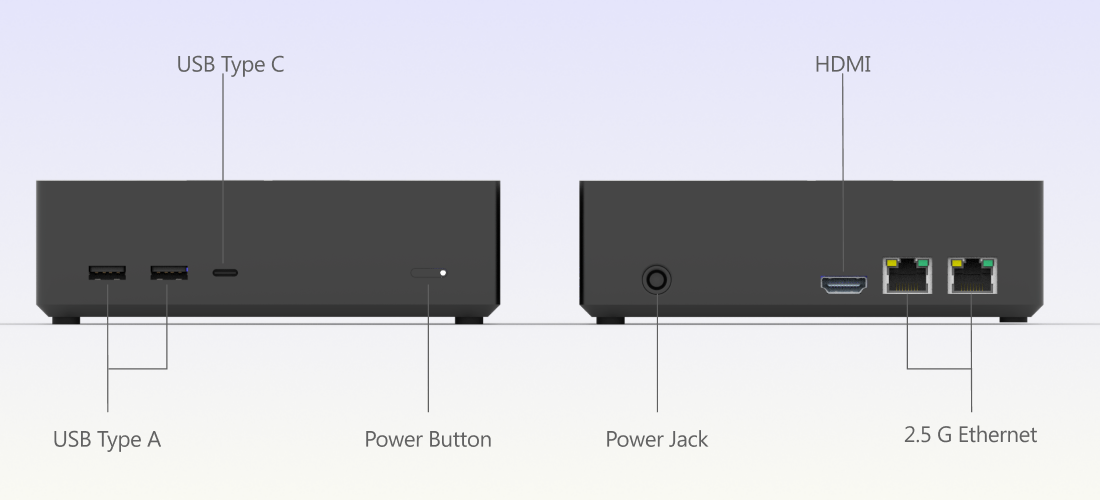
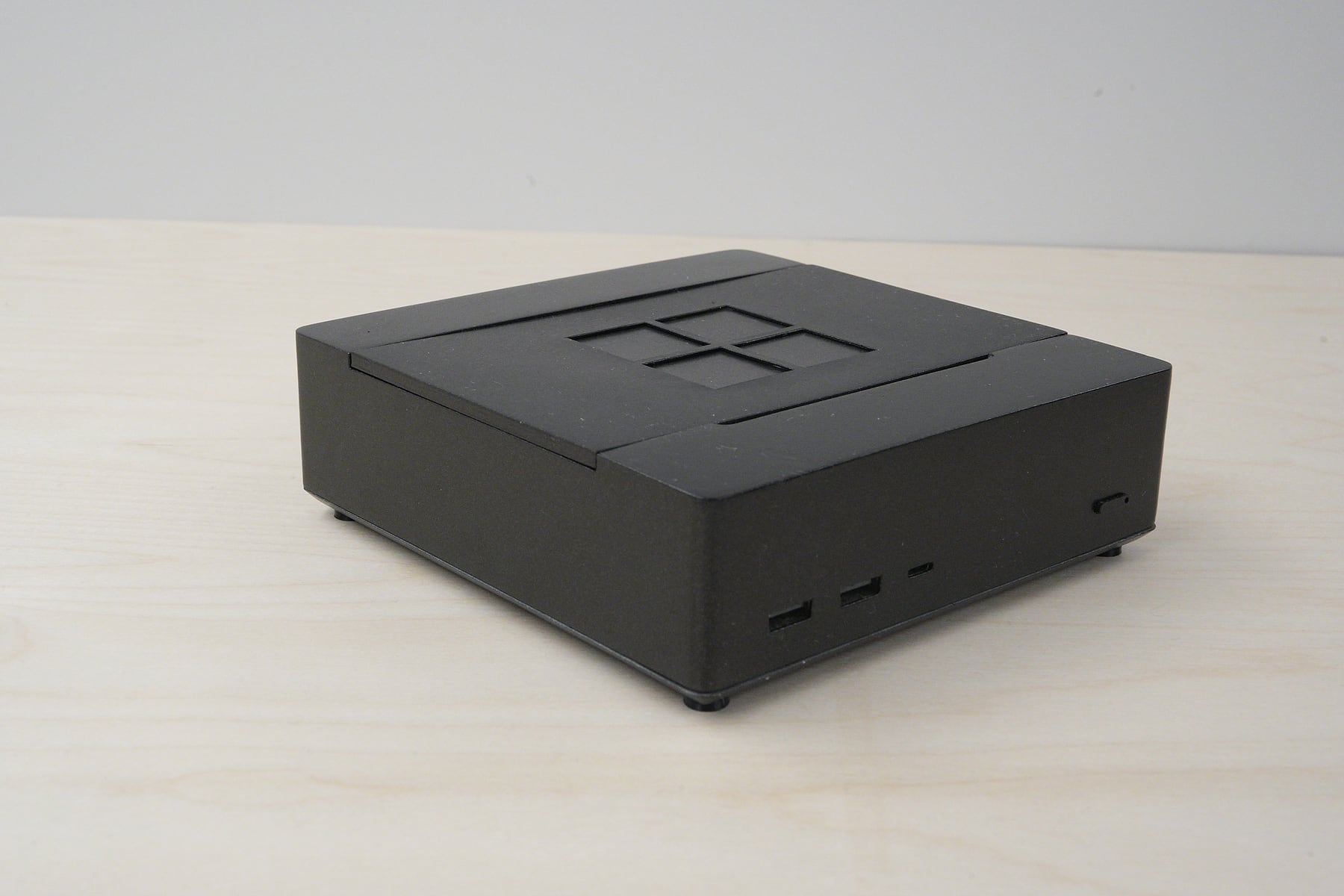
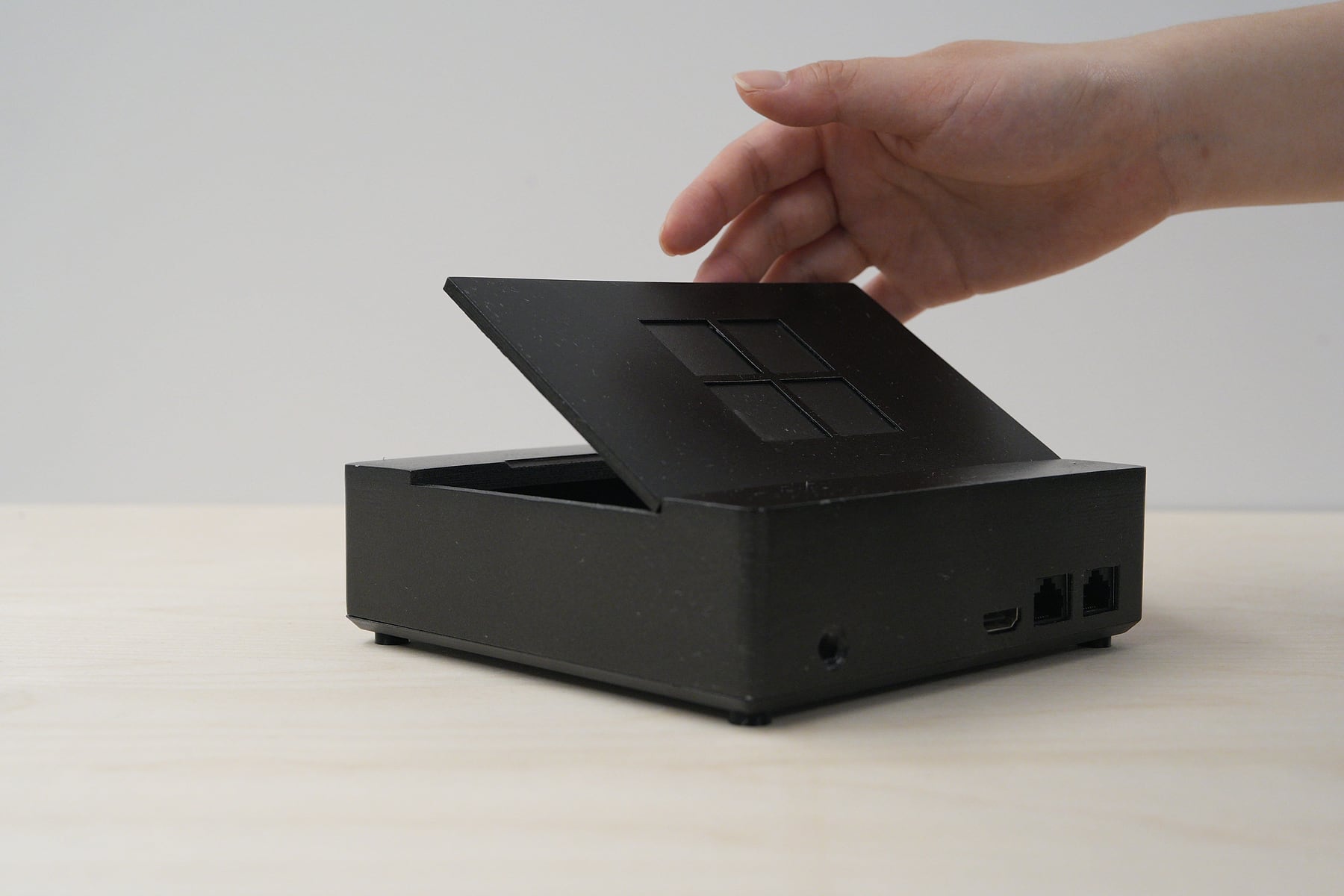
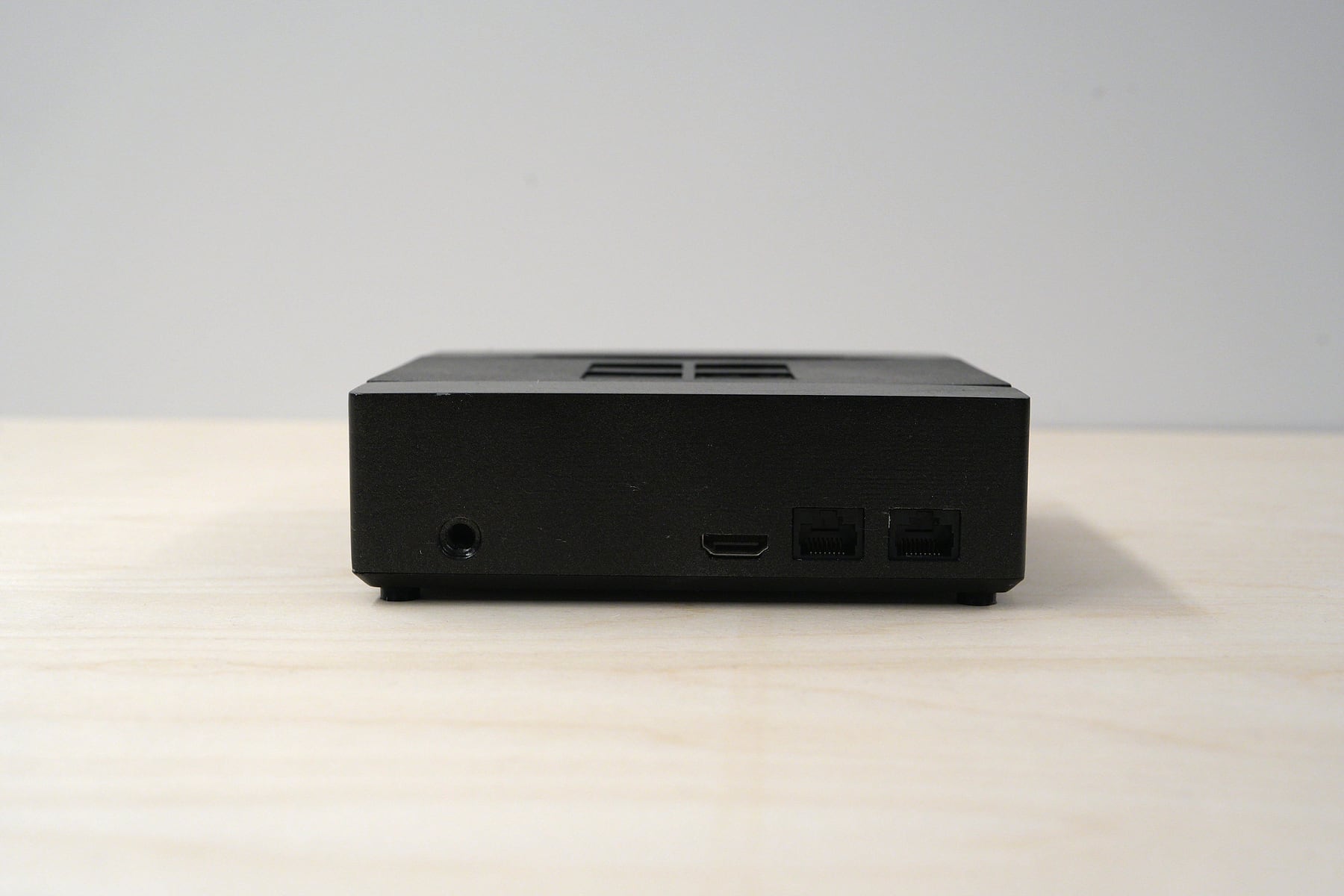
On the front are two USB A ports and a USB C port for peripherals and accessories, plus the power button with an LED status indicator. On the back are the power jack, an HDMI port for video output, and two 2.5 gigabit ethernet ports to maximize network performance and stability, whether you reach the NAS across your network or remotely.
2. Storage Expansion
Under the removable lid are four NVMe SSD slots. A user can start with a single drive and add more as their storage needs grow, up to 64 terabytes. Putting the drives behind a lid on top, instead of in a sealed tray, makes expansion and repair easy, which I had not seen in any existing product. Solid state drives also answer the performance complaint directly.
3. Setup: Windows Server and Copilot
Setup was the fourth pain point, so the device ships preinstalled with Windows Server. Users do not have to install an operating system themselves, which is common with other NAS products. It is also Copilot enabled, so an AI agent can answer questions at every step of setup.
Final Rendering & Physical Prototype
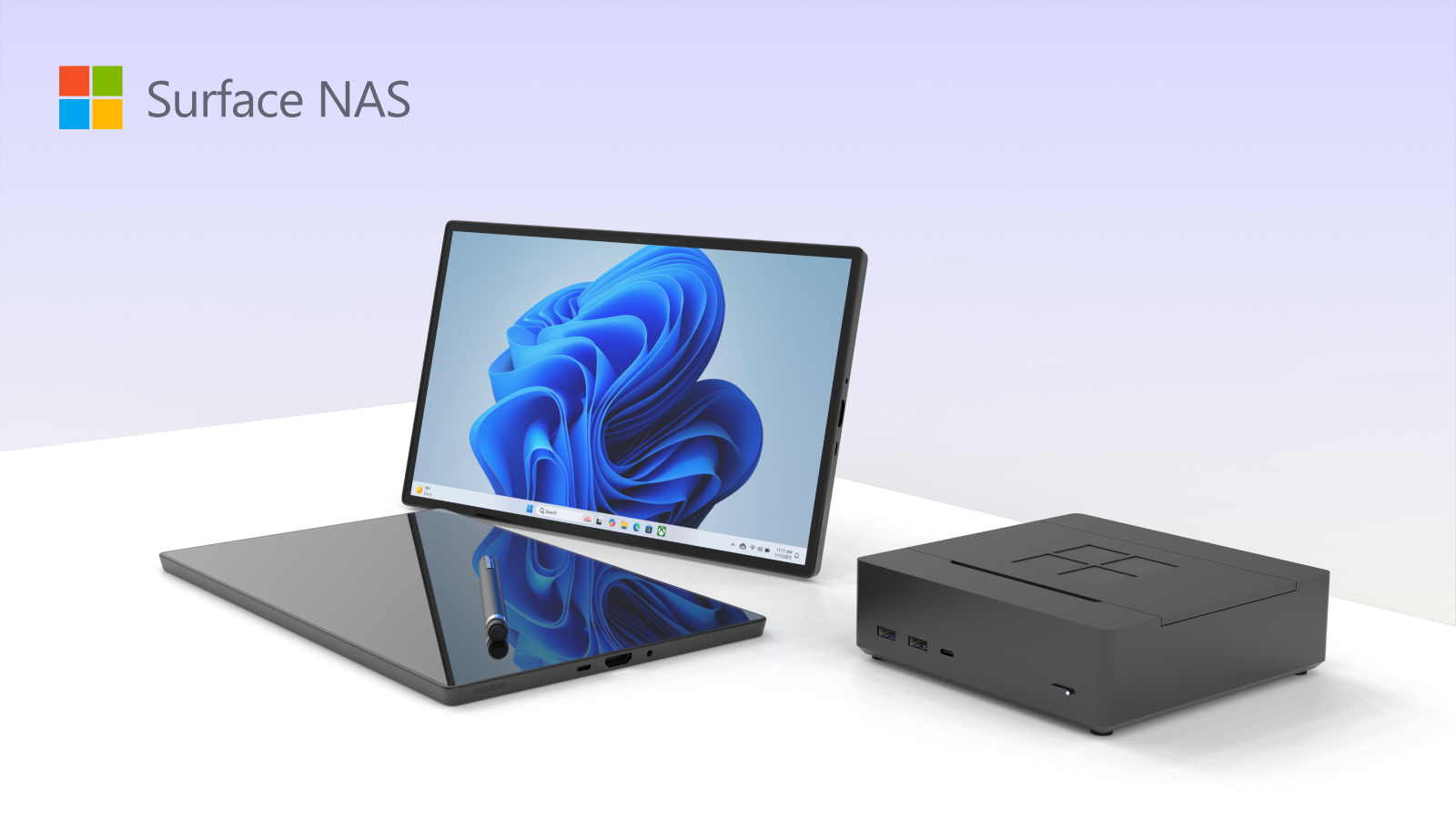
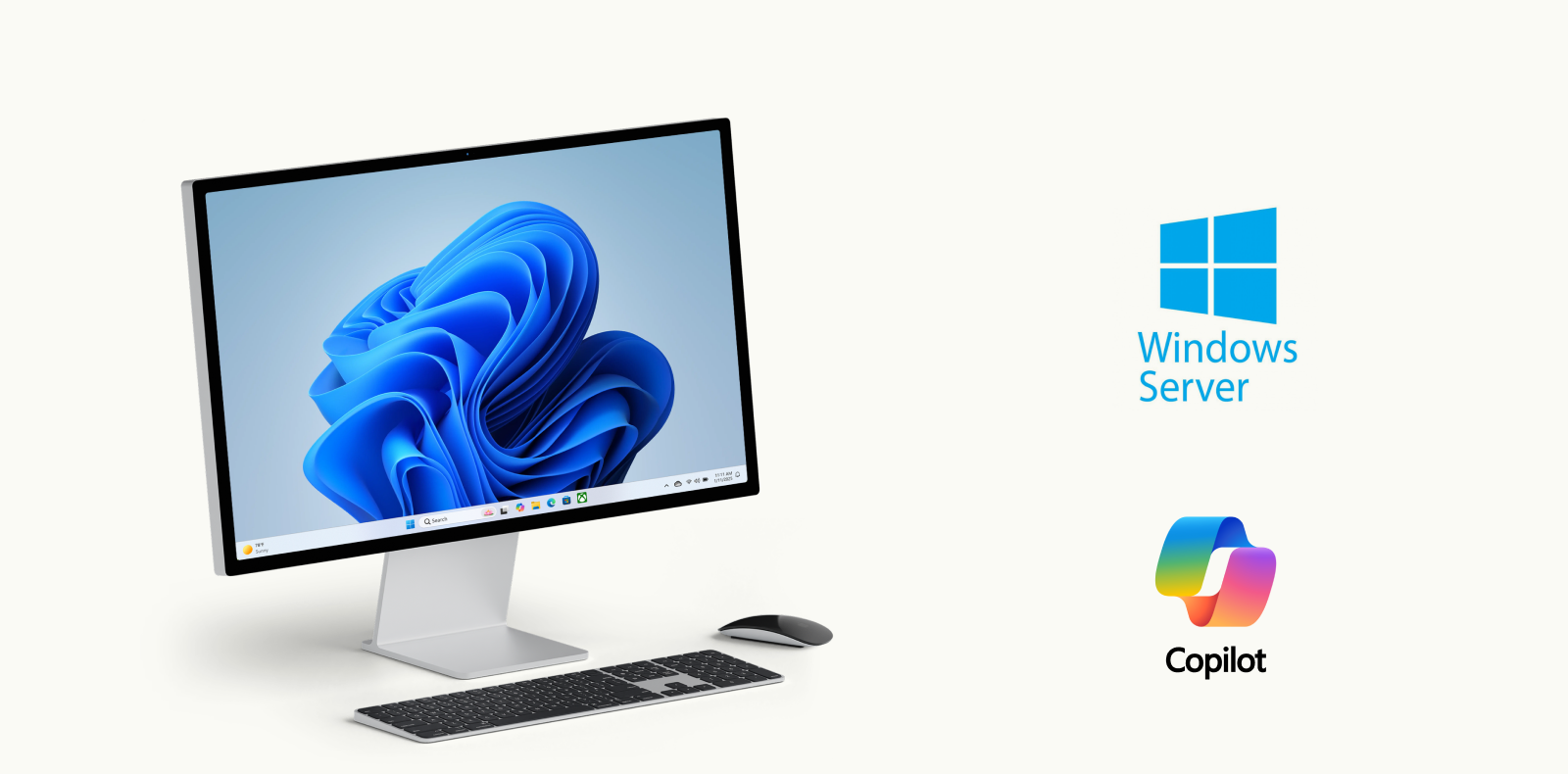
The final render shows the Microsoft Surface NAS beside the Surface line it is designed to join. I also built a physical prototype to check the proportions, the port placement and how the lid feels in the hand.

Reflections & Acknowledgements
The biggest thing this project taught me was how to physically prototype. Making the Microsoft Surface NAS real meant moving beyond CAD and renders and learning how to build something you can pick up, open and hold.
A raw 3D print is not a convincing stand-in for a product. Getting to a higher quality mockup meant taking the printed parts through sanding and priming until the surfaces were smooth and even enough to read as a finished object.
“A desktop Network Attached Storage solution securely accessible from anywhere.”
A special thank you to Professor Michael Saubert, for his guidance and teaching in the Physical Practicum.